Multi-Factor Authentication
Multi-factor authentication (MFA) is a security mechanism that requires users to provide two or more forms of verification before granting access to an account or system. This adds an extra layer of security beyond just a username and password, making it harder for unauthorized users to gain access.
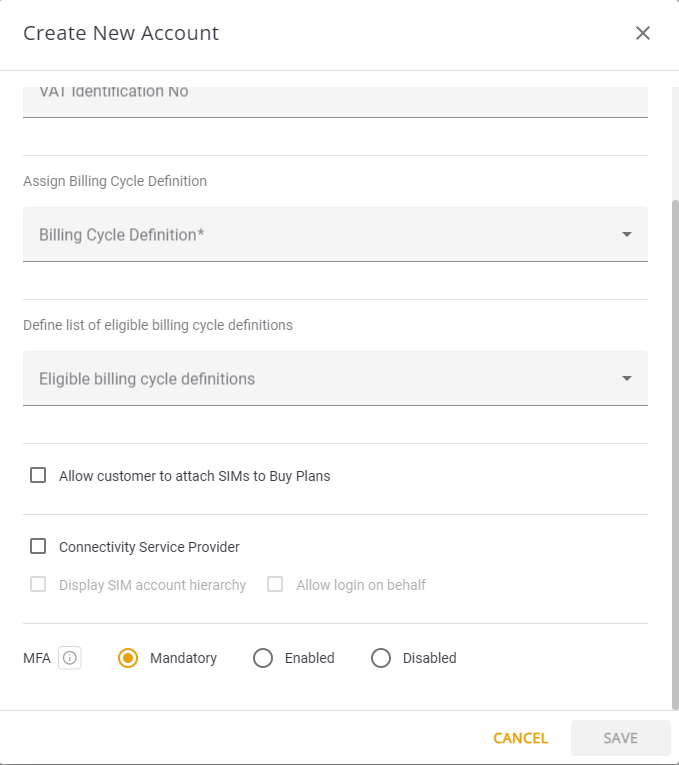
- Enabled: Users have the option to set up additional authentication methods for their accounts (in addition to username and password), but this is not mandatory.
- Mandatory: Users are required to set up and use additional authentication methods when creating a new account or accessing an existing one. This means that users cannot bypass the setup process for MFA; they must go through it to gain access.
- Disabled: When MFA is disabled, users are not prompted or required to set up additional authentication methods beyond the basic username and password.
Setup MFA for New Account
To set up multi-factor authentication for new accounts, do these steps:
- Select Sub-Accounts from the sidebar menu.
- Click +Account to display the Create New Account dialog box.
- Fill in the account details.
- Scroll down and select one of these MFA options:
- Mandatory
- Enabled
- Disabled
- Click Save to update account in system.
Here is a screen capture of the MFA options.